


How to Clean a Projector Screen & Lens (LCD Projectors)
Last updated: March 2026
Safe, simple steps for the projection screen and the outer projector lens — plus what NOT to clean (internal LCD/polarizer).
If you’re maintaining a new device or comparing models, you can also review the latest projector price in Bangladesh to choose a dust-resistant and high-brightness model suitable for your room.
What you can safely clean
- Projection screen surface: fixed-frame, pull-down, tripod, or portable. Use a soft method to avoid micro-scratches.
- Outer projector lens glass: dust and fingerprints on the outside only.
What NOT to clean (at home)
- Internal LCD panels / polarizers / prisms: opening the optical block risks permanent damage and voided warranty.
- Coated optics inside the projector: solvents can strip coatings or leave haze. Seek professional service.
Rule: clean the screen and the outer lens. Leave the inside to service centers.
Materials checklist
- Microfiber cloths (two or more, clean & lint-free)
- Bulb blower (or compressed air used sparingly, upright)
- Distilled water in a small spray bottle
- Mild dish soap (1–2 drops in 250 ml distilled water) for screens
- Lens cleaner labeled safe for multi-coated optics (for the outer lens only)
- Soft brush for edges/bezels
- Gloves (optional) to avoid fingerprints
Avoid harsh chemicals, paper towels, window cleaners, and high-strength alcohol on screens or coated optics.
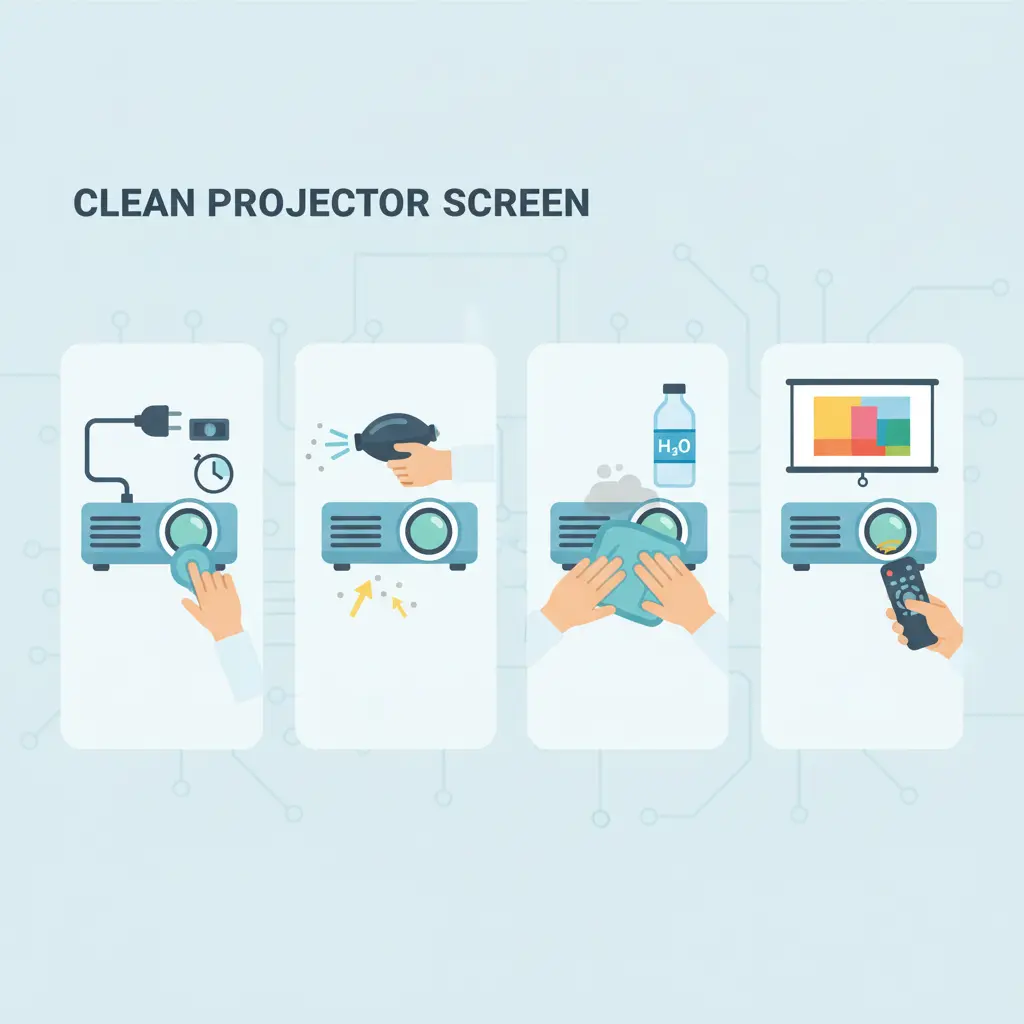
How to clean a projection screen (step-by-step)
- Power down nearby devices and ensure the screen is cool and stable.
- Dry dust: use a clean microfiber or soft brush; wipe in straight, gentle passes.
- Spot clean: lightly mist a microfiber with the soap solution (don’t soak the screen). Dab—not rub—on smudges.
- Wipe & dry: follow with a second microfiber slightly dampened with distilled water; finish with a dry microfiber.
- Stubborn marks: repeat light passes. If the surface is specialty (ALR/ambient-light-rejecting), check the manufacturer’s care guide.
How to clean the projector outer lens
- Unplug & cool down the projector fully.
- Blow off dust with a bulb blower (or short bursts of upright compressed air).
- Lens cleaner: apply a drop to a microfiber; never drip directly on the lens. Wipe in small circles from center outward.
- Dry & inspect: use a fresh, dry microfiber; check under light for streaks.
Do not open the projector or touch internal LCD/polarizer assemblies at home.
Dust & maintenance tips
- Use a dust cover when not in use; keep the room clean and ventilated.
- Place the projector on a stable shelf; avoid fabric surfaces that shed lint.
- Replace/clean filters as per the manual; keep vents clear.
- If you see persistent spots/bands/colors after cleaning, seek service (could be internal dust or panel damage).
Modern models like U002 projector with sealed optical engines are easier to maintain. Compare available models in our updated projector price list in Bangladesh.
Looking for a Low-Maintenance Projector?
Browse the complete projector price in Bangladesh and compare dust-proof, Full HD, and Android models suitable for home and office use.
বাংলা টিপস
কি পরিষ্কার করবেন: প্রোজেক্টর স্ক্রিন (ফিক্সড/পুল-ডাউন/ট্রাইপড) ও প্রোজেক্টরের বাইরের লেন্স। কি পরিষ্কার করবেন না: ভেতরের LCD প্যানেল/পোলারাইজার/অপটিক্স — এগুলো সার্ভিস সেন্টারেই করা উচিত।
স্ক্রিন পরিষ্কার: মাইক্রোফাইবারে হালকা সাবান-পানি (ডিস্টিলড) স্প্রে করে দাগে ড্যাব করুন; পরে ডিস্টিলড পানি ও শুকনো কাপড়ে মুছে নিন। লেন্স: বাল্ব ব্লোয়ার দিয়ে ধুলো সরিয়ে লেন্স-সেফ ক্লিনার দিয়ে হালকা করে মুছুন।
FAQ
Can I use alcohol to clean the screen or lens?
Use a lens-safe cleaner for the outer lens only. For screens, prefer distilled water + mild soap. Strong solvents can damage coatings or leave haze.
There’s still a spot on the image after cleaning. What now?
If gentle cleaning doesn’t fix it, dust may be inside the optical block or the panel is damaged. Seek professional service; don’t open the projector at home.
How often should I clean?
Light dusting every few weeks; deeper screen/lens cleaning only when needed. Use a dust cover and maintain room cleanliness to reduce frequency.
Helpful Next Reading
- Tips for Using a Home Projector (Beginner Checklist)
- Projector Price in Bangladesh — compare models with official warranty.

I have read this instruction. It’s a great solution.